

TL;DR: Passwords set years ago and reused across several accounts may already be sitting in a breach list without anyone knowing. Attackers run leaked logins against Microsoft 365 and other business services automatically, and one match is enough to get in. Give every account its own password with a business password manager, switch on multi-factor authentication everywhere it's offered, and close the accounts nobody uses any more.
The password nobody has touched in years
Ask someone when they last changed their work password and you'll usually get a pause, then "no idea". For most people it only happens when a system forces it or they get locked out.
In a business that matters, because of how many logins each person is carrying. Microsoft 365, the accounts package, the CRM, cloud storage, payroll, online banking, supplier portals. A team of fifteen can easily be responsible for a few hundred passwords between them.
If some of those were created years ago and copied from one account to the next, there's a fair chance at least one has already turned up in somebody else's data breach.
Where old passwords end up
Websites and online services are breached all the time, and the stolen usernames and passwords are often traded between criminals or posted publicly. The people affected are rarely told.
You can check whether an email address has appeared in a known breach for free at Have I Been Pwned, or using the tool further down in this article. It takes a few seconds and it's worth doing for your own work address.
A leaked password on its own is a problem for that one website. It becomes a business problem when the same password also opens your email, your finance system or your file storage.
How attackers use a leaked password
Attackers don't sit guessing passwords one at a time. They take lists of leaked email and password pairs and feed them into software that tries each pair against popular services, Microsoft 365 included. This is called credential stuffing, and because it's automated, thousands of login attempts can go through in a few minutes.
They only need one to work. A single successful sign in can expose company email, customer records, shared documents or financial systems. Access to a real mailbox is especially valuable to criminals, because invoices and payment requests sent from it look genuine to your customers and suppliers.
Not sure where to start?
Let's talk it through.
Have a quick, no-obligation call with our team.
No pitch, just answers.
The age of a password matters less than where it's used
The original advice to change passwords regularly has moved on. The National Cyber Security Centre now advises against forcing staff to change passwords on a fixed schedule, because people respond with small predictable tweaks, and Spring2025! simply becomes Summer2025!.
The NCSC position is to change a password straight away when there's any sign it may have been compromised, and otherwise concentrate on making every password long and unique. An old password that's strong and used in one place only carries far less risk than a newer one shared across five accounts. If yours is old and reused, change it today.
Let a password manager do the remembering
Nobody can memorise a different password for every system they use, and asking staff to try leads straight back to reuse. A business password manager generates a long random password for each account, stores it encrypted and fills it in when it's needed. Staff remember one strong master password and the software handles everything else.
Business versions also give you central control: shared team logins can be stored securely rather than passed around in emails or spreadsheets, and when someone leaves, their access can be removed in one go. The solution we provide is Keeper, and we've set out the business case in more detail in why your business needs a password manager.
Make multi-factor authentication the default
Multi-factor authentication (MFA) should be switched on for every business account that supports it, starting with Microsoft 365, email and anything that touches money. With an approval needed on an authenticator app, a stolen password on its own isn't enough to sign in.
Our dedicated cyber security team also monitors Microsoft 365 for suspicious sign in activity as part of Business Armour, so an unusual login gets spotted and dealt with quickly.
Concerned you may already be on a breach - check here
What to do if your email is already on a breach
Appearing in the results tells you that a website or service you once signed up to has been breached and some of your details were taken. Each result shows what was exposed, such as email addresses, passwords or phone numbers, so check that first.
If passwords were part of the breach, work through these steps:
- Change the password on the breached service if you still use it. If you don’t, close the account.
- Change the same password anywhere else you’ve used it, including small variations of it. Treat the old one as public knowledge.
- Switch on multi-factor authentication for your email, Microsoft 365 and any financial accounts if it isn’t on already.
- Be wary of emails that mention the breached service or quote an old password back to you. Criminals use breach data to make phishing and extortion emails more convincing.
- If it’s a work email address, or the password was ever used on a work system, tell your IT support team so they can check the sign in activity on your account.
If only your email address or phone number was exposed, there’s nothing to change, but expect more targeted phishing and be suspicious of messages that seem to know a little too much about you.
Close the doors you've forgotten about
While you're reviewing passwords, look for accounts that shouldn't exist any more. Former employees, software trials nobody cancelled, old supplier portals and shared logins set up for a project that finished long ago are all working ways into your business that nobody is watching.
Offboarding is where this most often goes wrong, so make removing every login a fixed step whenever someone leaves.
Get a second opinion on your passwords
If you can't say with confidence how passwords are handled across your team, it's worth finding out. Our cyber security team can review how logins, MFA and old accounts are managed across your business, and set up Keeper and MFA properly where there are gaps. We support businesses across Chester, North Wales, the Wirral, Wrexham and the wider North West, and the first conversation is always without obligation.
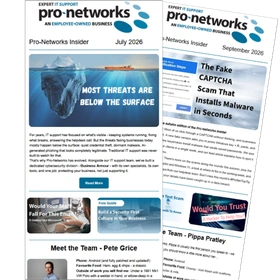
The Pro-Networks Insider
Delivered to your inbox every other month
The scams currently targeting businesses like yours.
A #ProNetTopTip that your team can put into practice in minutes.
Plain English updates on Microsoft 365 and IT changes that affect you.