

TL;DR: A fake Windows 11 update page has been circulating that copies Microsoft's real update screens almost exactly. Clicking through doesn't install an update, it installs malware. The file is built using legitimate developer tools, which lets it slip past some security software undetected. The fix isn't complicated: only install Windows updates through the built-in Settings app or Microsoft's own website, and treat any update prompt from an email or unfamiliar page as suspicious by default.
Most people don't scrutinise a Windows update. You see the prompt, you click, you get on with your day. That's the whole point of updates - they're supposed to be quick and unremarkable.
That's also exactly why this scam works.
A fake update page has been spotted that mimics an official Microsoft support site closely enough that there's nothing obviously wrong with it at a glance. Same layout, same tone, same visual language. It offers what looks like a standard Windows 11 update and invites you to download it.
Click the button and you're not updating anything. You're installing malware.
Not sure where to start?
Let's talk it through.
Have a quick, no-obligation call with our team.
No pitch, just answers.
What makes this one worth paying attention to is the build quality. This isn't a clumsy copy-paste job with spelling mistakes and a dodgy logo. The file is packaged using legitimate developer tools, with properties and labels designed to look like they belong to Microsoft. That's enough to let it pass some security software checks, at least initially, because on paper it looks like it should be trusted.
A few years ago, fake updates were easier to catch. Something usually felt off - the wording, the layout, the URL. That gap has closed. Attackers have got better at producing convincing fakes, and the old advice of "you'll know it when you see it" doesn't hold up as well as it used to.
The habit that makes this risky is the same habit that makes updates work well in the first place: people click without pausing to check where the prompt actually came from. Most of the time that's fine. The problem is attackers now know that too, and they're building fake prompts specifically to exploit it.
Our view: the fix here isn't more caution in general, it's one specific rule. Windows updates should only ever come from two places - the Settings app built into Windows 11, or Microsoft's own website if you're downloading something manually. Nowhere else. Not an email link, not a pop-up on a website, not a prompt that appears while browsing.
Worth putting to your team directly: if an update prompt shows up anywhere other than those two places, it gets reported before it gets clicked, no exceptions. That one rule closes off this entire attack, regardless of how convincing the next version of it looks.
If you want a hand reviewing how update management and endpoint protection are set up across your business, get in touch.
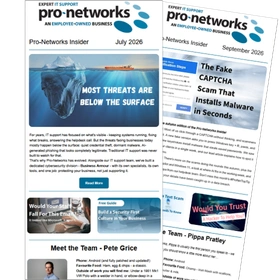
The Pro-Networks Insider
Delivered to your inbox every other month
The scams currently targeting businesses like yours.
A #ProNetTopTip that your team can put into practice in minutes.
Plain English updates on Microsoft 365 and IT changes that affect you.